GeoDrill

Industrial monitoring & safe remote control interface designed for field engineers and operators working with hardware under unstable network and harsh conditions.

Industrial monitoring & safe remote control interface designed for field engineers and operators working with hardware under unstable network and harsh conditions.

About Project

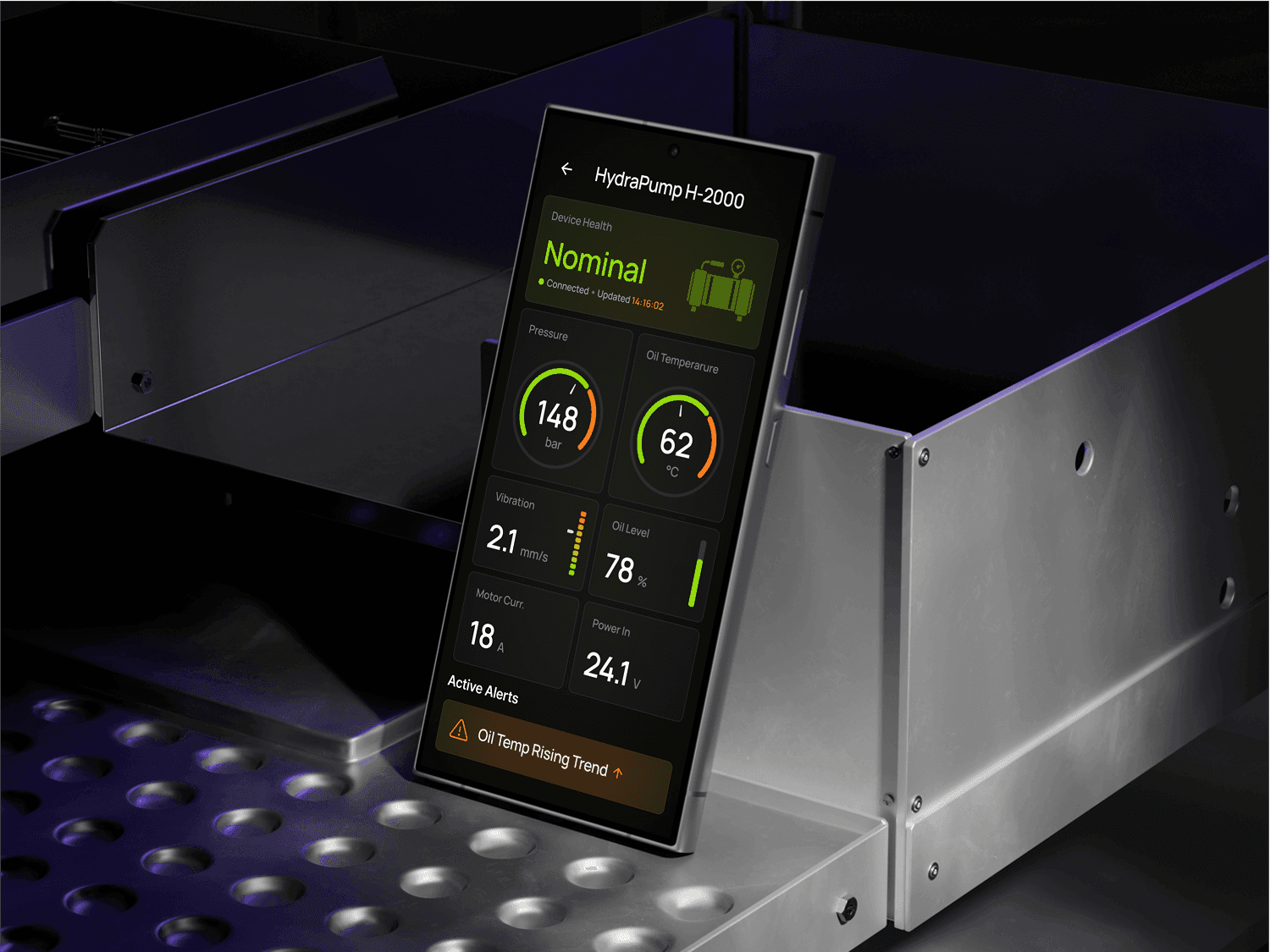
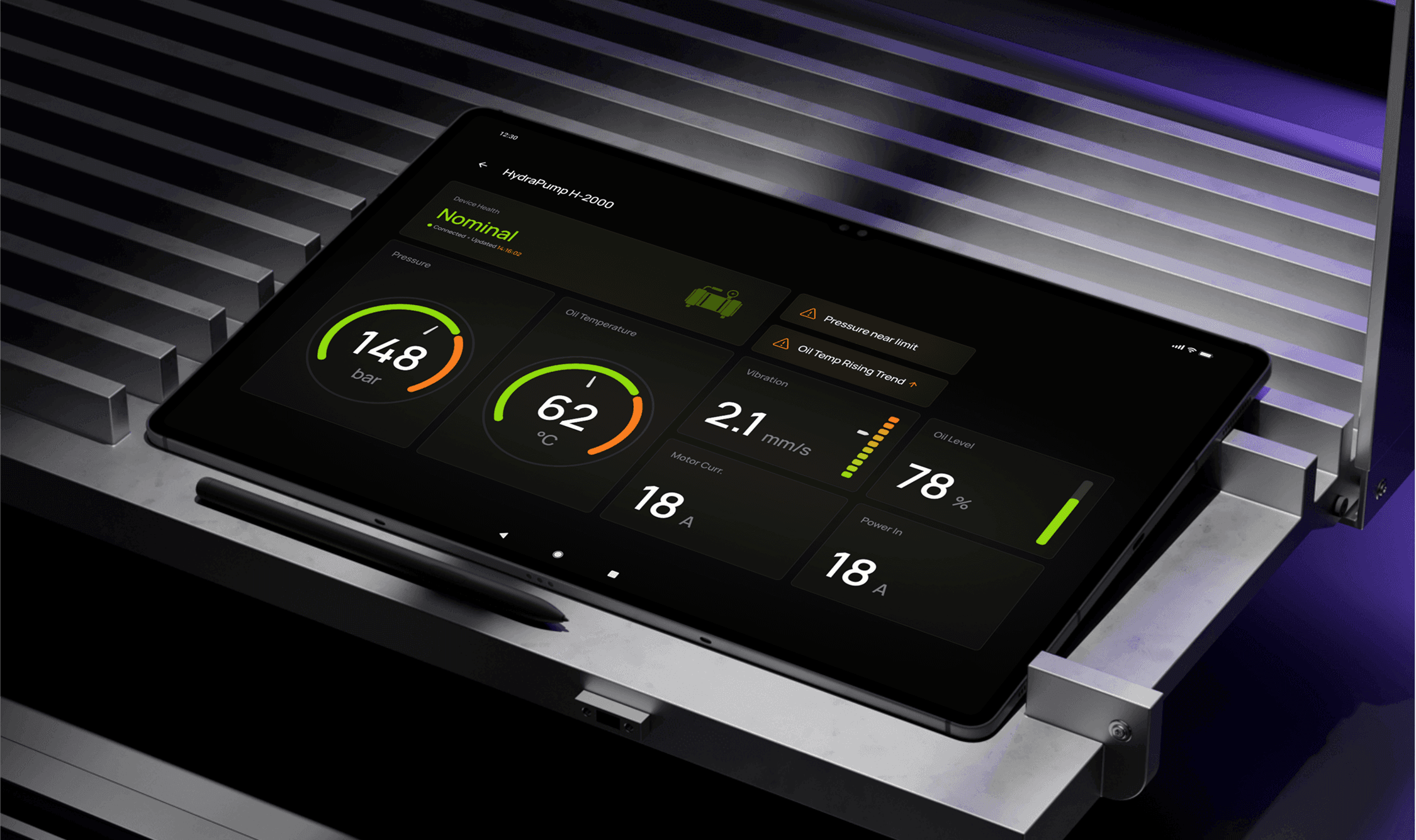
GeoDrill Systems is building a hardware-integrated platform for monitoring and controlling distributed industrial equipment across remote sites. The HydraPump H-2000 Android app provides real-time sensor visibility (pressure, temperature, vibration, power) and a safe command layer (mode switching, emergency stop, diagnostics) tailored for field use — gloves, vibration, low visibility, and unreliable connectivity. The goal was to reduce response time to anomalies, prevent operator errors, and ensure the system remains usable and trustworthy even when the network is degraded or fully offline.

My Role:

Product Designer (UX/UI)

Service Provided:

  • UX research synthesis (interviews, constraints mapping, usability heuristics)

  • Problem framing & UX hypotheses

  • User flows & information architecture

  • Wireframes → high-fidelity UI (Android / Material-based)

  • Usability-first interaction patterns (error prevention, confirmations, system states)

  • Design system snapshot (components, states, typography, spacing)

  • Prototype for validation and stakeholder review

Research

Quickly understand how operators and field engineers interact with hardware-connected equipment and identify friction points impacting decision speed and control confidence.

5 contextual field interviews (operators & engineers)


Usability evaluation using Nielsen heuristics


Field constraints mapping (connectivity, vibration, glare, gloves usage, low visibility)


Mental model & workflow synthesis


Lightweight prototype validation of core UX hypotheses

Key insights

Actionable insights derived from field operator behavior, interaction risks, and decision-making patterns under hardware-critical conditions.

Operators prioritize instant device health recognition


Gloves + vibration create real interaction failure risks


Lack of command feedback causes loss of control confidence and repeated actions


Offline mode must preserve context, not block the workflow

Problems

After field interviews and constraints synthesis, we defined key UX challenges impacting uptime, interaction accuracy, and decision-making speed:

Critical statuses and alerts are buried in menus with no severity hierarchy


Small tap targets are unusable in gloves and high-vibration conditions


No explicit command execution feedback, leading to repeated “just-in-case” actions


Connectivity loss results in lost device context and uncertainty


No offline command queue or auto-sync, breaking the operator mental model

Goals

Based on validated research insights, we defined goals focused on usability, interaction reliability, error prevention, and preserved control context for Android mobile field workflows:

Enable 5-second device health scanning on Android mobile


Introduce safe critical command interactions (error-prevention patterns)


Provide explicit command states (Queued → Sent → Executed → Failed/Expired)


Ensure offline mode preserves control context with auto-sync on reconnect


Reduce time-to-decision and accidental operator errors

Problems

After field interviews and constraints synthesis, we defined key UX challenges impacting uptime, interaction accuracy, and decision-making speed:

Critical statuses and alerts are buried in menus with no severity hierarchy


Small tap targets are unusable in gloves and high-vibration conditions


No explicit command execution feedback, leading to repeated “just-in-case” actions


Connectivity loss results in lost device context and uncertainty


No offline command queue or auto-sync, breaking the operator mental model

Goals

Based on validated research insights, we defined goals focused on usability, interaction reliability, error prevention, and preserved control context for Android mobile field workflows:

Enable 5-second device health scanning on Android mobile


Introduce safe critical command interactions (error-prevention patterns)


Provide explicit command states (Queued → Sent → Executed → Failed/Expired)


Ensure offline mode preserves control context with auto-sync on reconnect


Reduce time-to-decision and accidental operator errors

Problems

After field interviews and constraints synthesis, we defined key UX challenges impacting uptime, interaction accuracy, and decision-making speed:

Critical statuses and alerts are buried in menus with no severity hierarchy


Small tap targets are unusable in gloves and high-vibration conditions


No explicit command execution feedback, leading to repeated “just-in-case” actions


Connectivity loss results in lost device context and uncertainty


No offline command queue or auto-sync, breaking the operator mental model

Goals

Based on validated research insights, we defined goals focused on usability, interaction reliability, error prevention, and preserved control context for Android mobile field workflows:

Enable 5-second device health scanning on Android mobile


Introduce safe critical command interactions (error-prevention patterns)


Provide explicit command states (Queued → Sent → Executed → Failed/Expired)


Ensure offline mode preserves control context with auto-sync on reconnect


Reduce time-to-decision and accidental operator errors

Solutions Overview

Health-first overview

Health-first overview

Device health status and key sensors placed on the main screen for instant recognition

Device health status and key sensors placed on the main screen for instant recognition

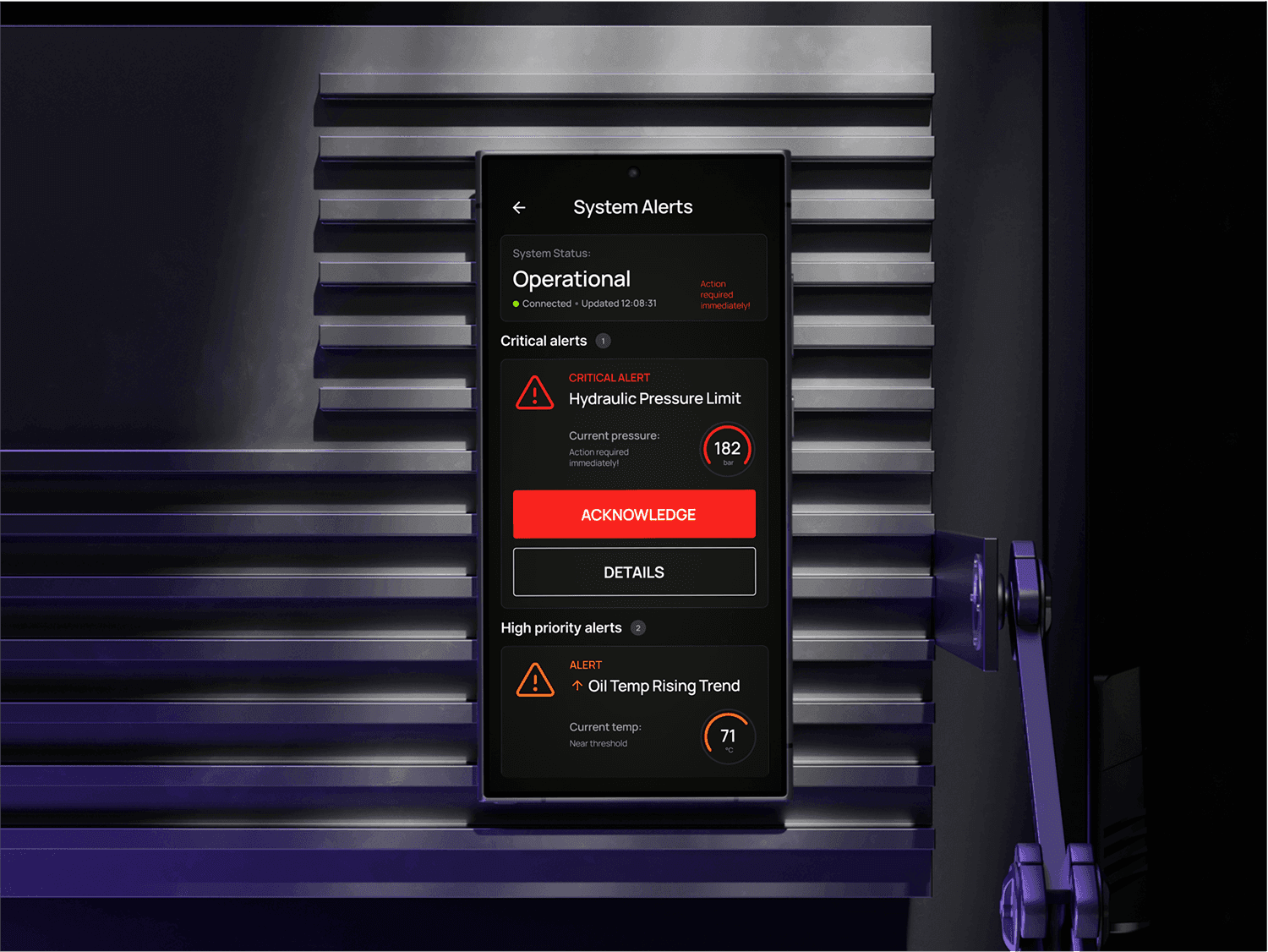
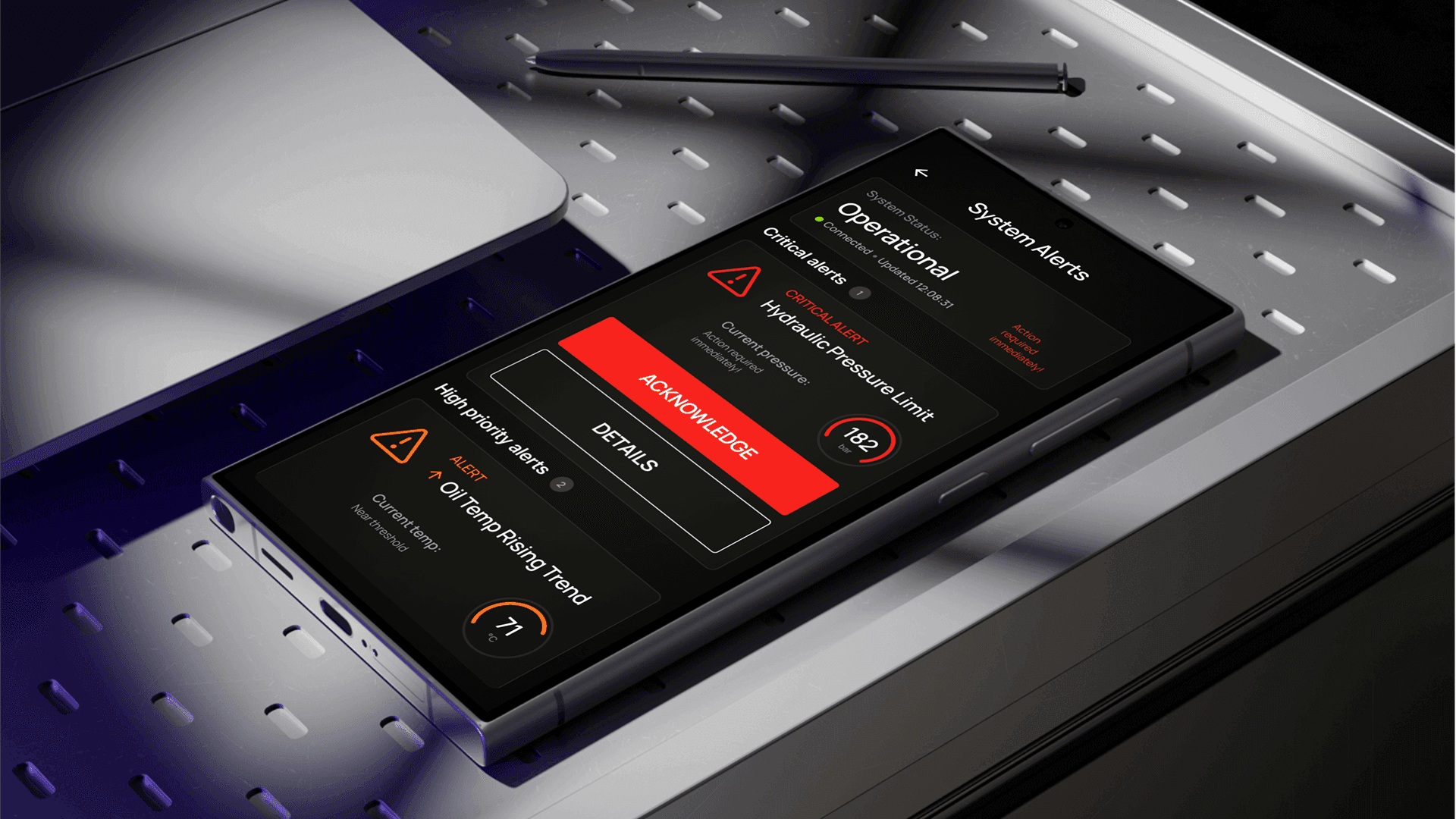
Alert hierarchy

Alert hierarchy

Critical alerts prioritized visually and accessible without digging into menus

Critical alerts prioritized visually and accessible without digging into menus

Safe critical interactions

Safe critical interactions

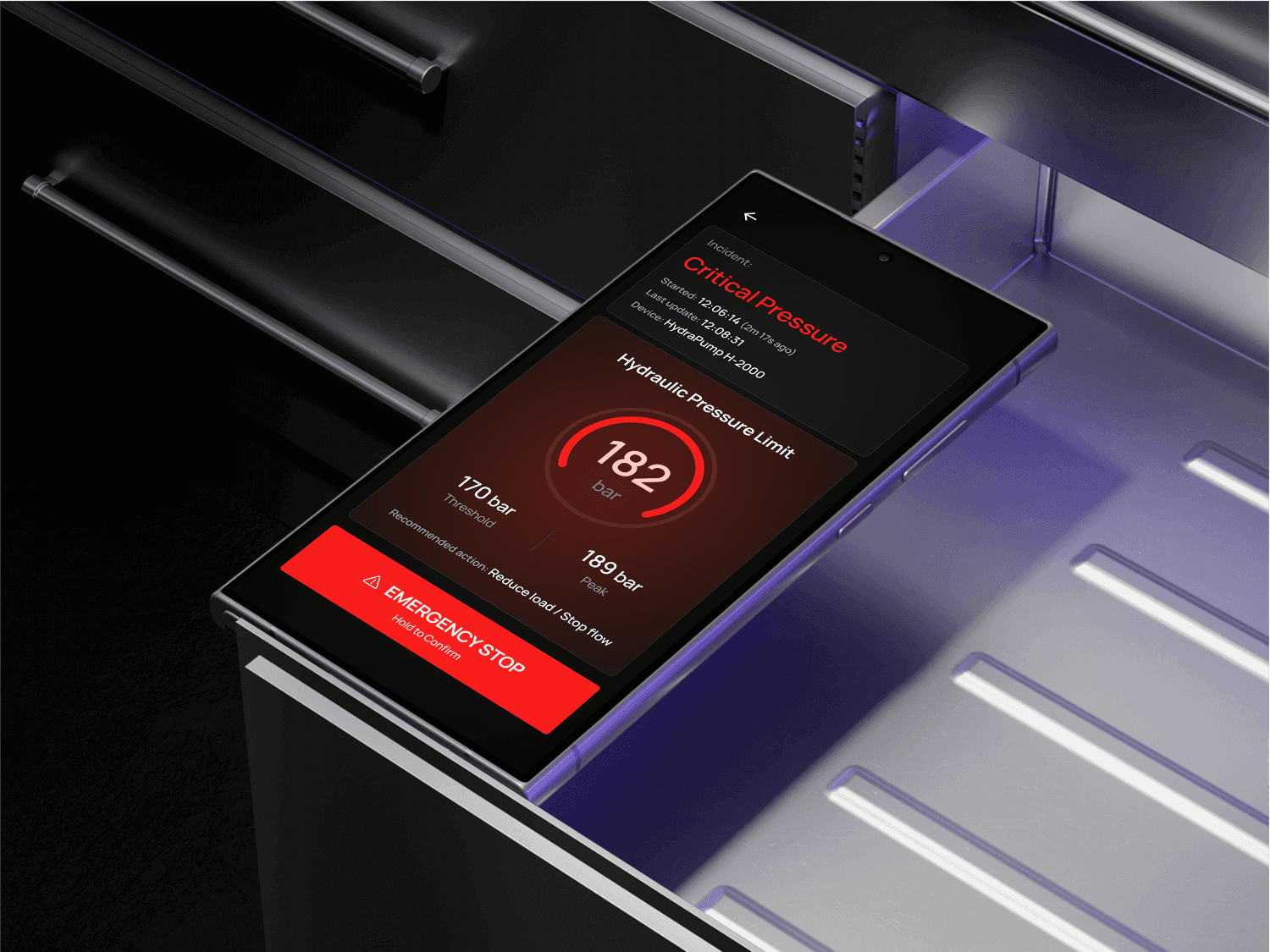
Emergency Stop protected by hold-to-confirm pattern

Mode changes triggered through a confirmation sheet explaining consequences

High-risk commands automatically disabled in Critical or Maintenance states

Emergency Stop protected by hold-to-confirm pattern

Mode changes triggered through a confirmation sheet explaining consequences

High-risk commands automatically disabled in Critical or Maintenance states

Results

Simulated usability impact based on prototype validation and field workflow synthesis:

↓ 72%

Time to recognize device health

~ 0

Accidental critical command triggers

3x faster

Alert acknowledgment and response decisions
Key Takeaways

  • Clarity wins in high-stakes hardware operations

  • Reliable status hierarchy reduces decision latency

  • Error prevention must be embedded in interactions

  • Android-first design patterns increase predictability and trust